Why Convert MP4 to GIF? Boost Social Media & Chat Engagement
In today's fast-paced digital world, capturing attention and conveying messages quickly is paramount. While MP4 remains the undisputed king of video formats, a lesser-known but incredibly powerful format, the GIF, often holds the key to unlocking superior engagement across social media and chat platforms. Understanding when and why to leverage an Mp4 To Gif Converter can transform your digital communication strategy, making your content more shareable, impactful, and ultimately, more engaging.
Understanding MP4: The Dominant Video Format
MP4, formally known as MPEG-4 Part 14, is a pervasive container format for digital audio and digital video. Its lineage can be traced back to Apple's QuickTime MOV format, expanded to embrace a broader spectrum of MPEG features. Today, it's almost impossible to find a modern video device, application, or streaming service that doesn't natively support MP4.
What makes MP4 so dominant? It's incredibly versatile, capable of housing multiple video tracks, various audio tracks, subtitles, and extensive metadata – think video titles, album names, authors, and more. Beyond its broad compatibility, MP4 has earned its stellar reputation for its remarkable ability to compress large files while preserving a high degree of video and audio quality. This efficient compression makes it ideal for streaming high-definition content over the internet and storing vast video libraries without consuming excessive storage space. While common, it's also worth noting that MP4 has several equivalents, such as M4V and M4A, which are often specialized versions for specific uses like protected video content or audio-only files.
Decoding GIF: The Internet's Favorite Animation
On the other hand, the Graphics Interchange Format (GIF) stands as one of the most widespread and beloved animated image formats on the internet. While technically a sequence of static images displayed in rapid succession, a GIF creates the illusion of motion, making it perfect for short, looping animations. Each "frame" of a GIF is displayed for a predetermined duration, contributing to the overall animated effect.
GIFs boast another crucial advantage: support for transparency. This feature allows for non-rectangular images or images with transparent backgrounds to be seamlessly integrated into various web designs. However, GIFs do have a significant limitation: they can only display a maximum of 256 colors. This restriction makes them generally unsuitable for high-fidelity photographs, which require a much wider color palette to represent subtle gradients and nuances accurately. Conversely, this limitation makes GIFs absolutely ideal for graphics with solid colors, sharp lines, and limited color ranges – think logos, charts, simple illustrations, and, crucially, short video clips that are often converted from MP4s. This unique characteristic is precisely why an Mp4 To Gif Converter becomes invaluable for specific types of visual communication.
Why Convert MP4 to GIF? The Ultimate Engagement Booster
The question isn't whether MP4 is superior to GIF overall – for long-form video, it undoubtedly is. The question is, why would you specifically choose to convert an MP4 to a GIF? The answer lies in the unparalleled engagement potential that GIFs offer, particularly in short-form content and informal communication channels. For a deeper dive into the technical differences and benefits of each format, you might find our article on MP4 vs GIF: Understand Formats & Free Online Conversion Benefits particularly insightful.
Unlocking Social Media & Chat Engagement
- Instant Autoplay & Seamless Looping: Unlike MP4 videos that often require a "play" button click, GIFs play automatically and loop endlessly on platforms like Twitter/X, Slack, Discord, Telegram, and iMessage. This immediate visual feedback captures attention instantly, eliminating the friction of a user having to initiate playback.
- Inline Embedding in Conversations: GIFs embed directly within chat messages and social media feeds, appearing as part of the conversation flow. MP4s, while viewable, often sit behind a video player interface, making GIFs feel more native and less obtrusive in casual communication.
- The Language of Memes & Reactions: GIFs have become the quintessential medium for expressing emotions, reactions, and humor in the form of memes. Their short, punchy nature and looping animation make them perfect for conveying a quick laugh, a sarcastic remark, or an empathetic nod without typing a single word.
- Effective Short Demonstrations & Tutorials: For explaining UI interactions, showcasing a code snippet, or illustrating a quick process, GIFs are incredibly effective. They can be embedded in README files, GitHub issues, Notion pages, and support articles, playing automatically and looping to show a precise action without requiring the reader to click play. This is particularly valuable for technical documentation where clarity and ease of access are paramount.
- Optimized for Brief, Visual Communication: While MP4s can be large, a well-optimized GIF of a short clip can be surprisingly lightweight, making it fast to load and share. This efficiency, combined with their visual punch, makes them ideal for snackable content.
By leveraging an Mp4 To Gif Converter, you transform a video segment into a dynamic, attention-grabbing asset. Imagine explaining a complex software feature or a dance move – a short, looping GIF can convey more in seconds than paragraphs of text or even a static image. This increased engagement can lead to higher shareability, longer dwell times on your content, and a more effective communication strategy overall.
The Power of a Quality Mp4 To Gif Converter
To fully harness these benefits, the choice of your Mp4 To Gif Converter is crucial. A good converter isn't just about transforming one file type into another; it's about providing control, quality, and convenience. When searching for the ideal tool, consider these features:
- Ease of Use: The best converters feature intuitive interfaces, often supporting drag-and-drop functionality, minimizing clicks, and requiring no registration or email. Simplicity means you can quickly get your GIF without technical headaches. For a step-by-step guide on how easy this can be, check out our article: Convert MP4 to GIF Online: Fast, Free & Easy Steps.
- Speed & Efficiency: Even large MP4 files should be processed quickly. A robust converter can extract frames and create an animated GIF within seconds to a couple of minutes, ensuring your workflow remains uninterrupted.
- Quality Control: The ability to adjust parameters like Frames Per Second (FPS) allows you to control the smoothness of the animation, while options to define the GIF size help manage file size and visual fidelity. A good converter empowers you to balance quality and performance.
- Free & Secure: Many excellent online converters are completely free to use. Furthermore, security features like 256-bit SSL encryption and automatic file deletion after a few hours are critical for protecting your privacy and data.
- Accessibility: Online, browser-based tools offer the ultimate convenience, working on any operating system and device without requiring software installations.
Before converting, a pro tip is to trim your MP4 video to the exact segment you wish to animate. This not only reduces the GIF's file size but also ensures that only the most impactful moments are highlighted, leading to a more focused and effective animation.
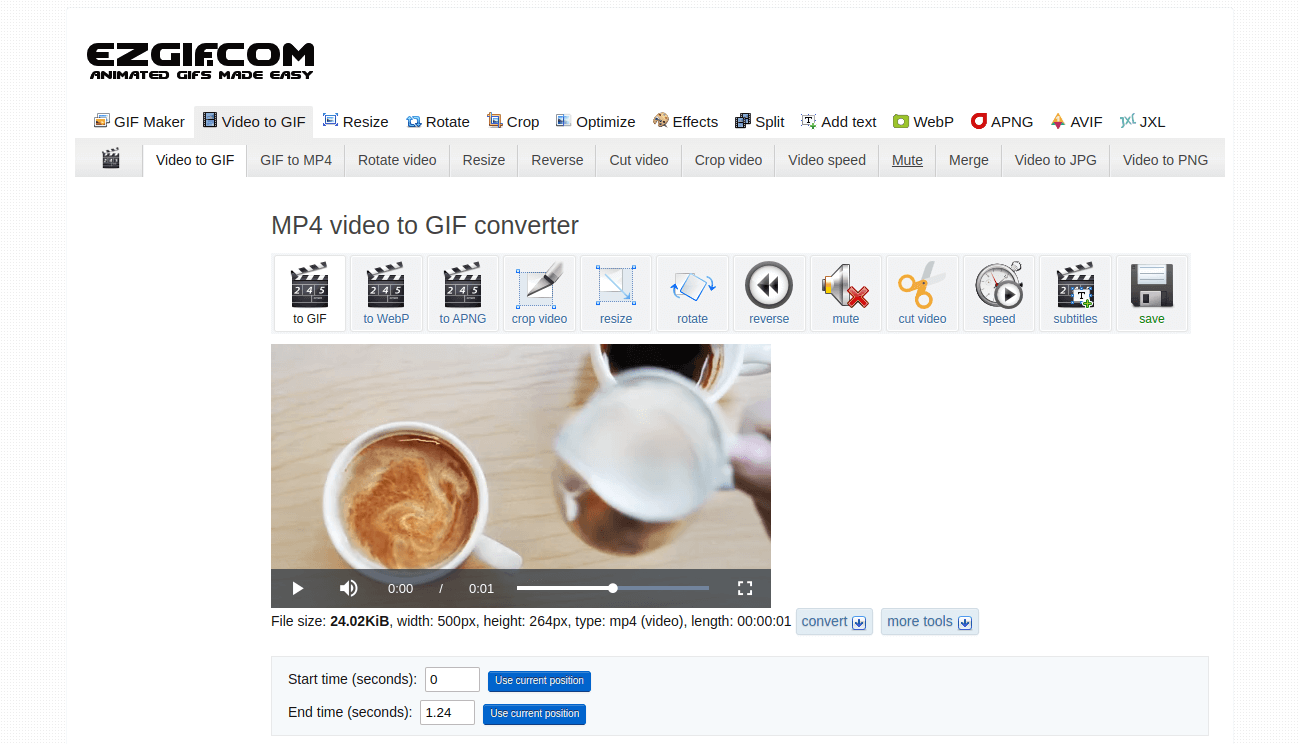
Step-by-Step: How to Use an Online Mp4 To Gif Converter
The process of converting an MP4 to a GIF using a quality online tool is remarkably straightforward:
- Choose Your MP4: Begin by uploading your MP4 video. Most converters offer a "Choose Files" button or a drag-and-drop area for convenience.
- Select & Trim (Optional but Recommended): If your video is long, you'll often have the option to select a specific start and end point. This is crucial for creating concise, impactful GIFs.
- Configure Settings (Optional): Some advanced converters allow you to adjust frame rate (FPS) or output dimensions to fine-tune the GIF's quality and file size.
- Initiate Conversion: Click the "Convert to GIF" or similar button. The converter will then process your video, extracting frames and compiling them into an animated GIF.
- Download Your GIF: Once the conversion is complete, a "Download GIF" button will appear, allowing you to save your new animated image to your device.
That's it! No complex software, no extensive technical knowledge – just a few simple clicks to transform your video into an engaging GIF ready for sharing.
Conclusion
While MP4 remains indispensable for comprehensive video content, the GIF holds a unique and powerful position in the realm of short-form, highly engaging digital communication. Whether you're aiming to spice up your social media feed, convey quick reactions in chat, or provide clear demonstrations in documentation, an animated GIF is an unparalleled tool. By utilizing an efficient and user-friendly Mp4 To Gif Converter, you can effortlessly unlock a new dimension of visual communication, making your messages more impactful, memorable, and shareable across all your digital platforms.